
Why teams choose Cylex
Agencies
Onboard client portfolios faster and keep listings synced across markets.
Multi-location brands
Launch and manage hundreds of branches with standardized, compliant data.
Listing partners
Normalize feeds, prevent duplicates, and distribute updates at scale.

Benefits
- ✔ Upload once, publish to Cylex and affiliated directories.
- ✔ Faster go-live with fewer manual steps when verified.
- ✔ Centralized control from a single account.
- ✔ Regional coverage and localization support.
What's included
Submission to Cylex and partner directories with validation and consistency checks. Regional coverage and localization included.
For availability and the template, open your local Cylex Business Directory and use the Bulk Upload link in the footer.
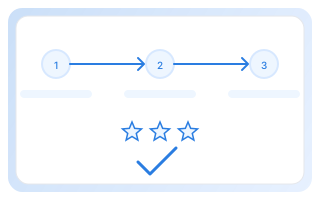

How it works
- Open your local Cylex Business Directory and download the Bulk Upload XLSX template from the site footer.
- Fill in your business data. Use a unique Entry ID per listing and reuse it for updates.
- Upload your file and confirm payment. Listings go live after validation.

Pricing
- Regional pricing applies and may vary by country and market.
- Per-listing subscription; processing fees may apply to small batches.
- Volume discounts are available for large uploads. Contact sales.
Cylex Bulk Upload - frequently asked questions
What is Cylex Bulk Upload and how does uploading listings work?▾
Cylex Bulk Upload lets you add or update many business listings at once using an XLSX spreadsheet. We validate, normalize and map fields so your data is formatted correctly for Cylex and partner directories, reducing manual effort and errors.
Who should use the Cylex bulk upload tool?▾
Agencies, listing partners, resellers, aggregators and multi-location brands use Bulk Upload to manage hundreds or thousands of locations efficiently - it’s designed for scale and repeatable workflows.
Where can I download the Cylex Bulk Upload template (XLSX)?▾
Download the official XLSX template and field guide from your local Cylex Business Directory (Bulk Upload link in the footer). The template includes required columns and examples to speed up preparation.
Which fields are required in the bulk upload template?▾
Required fields typically include business name, address, primary phone, category and a unique Entry ID. Optional fields cover opening hours, website, descriptions, attributes and media URLs.
How do I update an existing listing using Bulk Upload?▾
Include the same Entry ID for the listing in a new file. Our pipeline matches Entry IDs and applies updates, ensuring changes propagate consistently across Cylex and partner channels.
How long does it take for uploaded listings to become live?▾
Time-to-live depends on validation and payment (if applicable) and varies by country/partner. After validation most listings publish quickly; complex or manual QA items may take longer.
Are there fees for bulk uploading listings and how is pricing calculated?▾
Pricing is regional and may be per-listing or subscription-based. Small batches may incur processing fees while volume discounts apply for large uploads; contact sales for exact quotes.
Which directories and partners receive listings uploaded via Bulk Upload?▾
We publish validated listings across the Cylex directory network and any agreed partner channels (e.g., FindOpen, Firmania). Distribution targets are confirmed during onboarding.
What happens if my upload file contains errors?▾
Uploads are validated and we return detailed error reports so you can correct rows and re-upload. This prevents duplicate or malformed entries from being published.
Can I include images and logos in a bulk upload?▾
Yes. Include image or logo URLs in the designated columns. Where supported, we fetch and attach media to listings; follow the template guide for size and format recommendations.
How does Cylex handle duplicates in bulk uploads?▾
We run automated duplicate detection and normalization, then surface potential conflicts for review. Partners may provide custom dedupe rules to align with business logic.
How can I get support for bulk uploads?▾
Use the Bulk Upload link in your local directory footer for docs and templates, or contact our support/sales team via the Contact page for onboarding and volume assistance.
Why teams choose Cylex
Agencies
Onboard client portfolios faster and keep listings synced across markets.
Multi-location brands
Launch and manage hundreds of branches with standardized, compliant data.
Data providers
Normalize feeds, prevent duplicates and distribute updates at scale.
Ready to streamline listings at scale?
Speak with our team about agency workflows or partner integrations.